Discover with simple tips how to take stunning photos with your phone! Improve your skills and capture beautiful moments.
 Patriek Paap
How to take the best photos with your phone
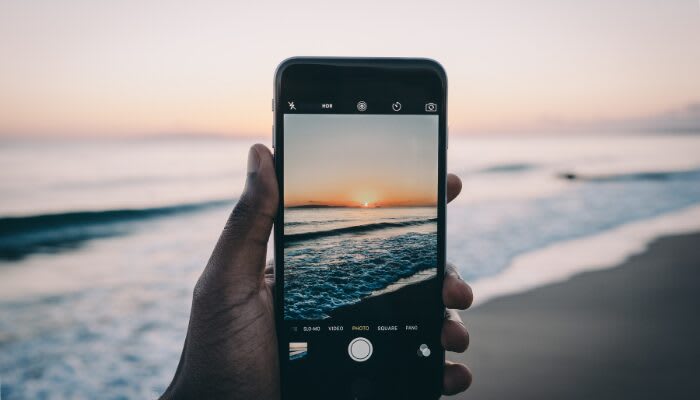
📷 Nowadays, almost everyone carries a camera with them: the smartphone. Yet there are big differences in the quality of photos people take. With a few simple techniques, you can take much better photos without expensive equipment. Whether you're capturing memories, want to improve your social media, or simply enjoy photography, it all starts with understanding your phone camera and what you can do with it.
Know your camera
🔍 Most smartphones have powerful cameras, but they're not all the same. Take time to get to know your camera: experiment with the settings, like resolution, exposure, and HDR. Many phones have special modes like portrait, panorama, or night mode, which can immediately take your photos to the next level. By understanding what each function does, you gain more control over the final result.
Pay attention to light
🌞 Light is one of the most important factors for a good photo. Natural light often works best, especially during the hour after sunrise and the hour before sunset. Avoid harsh midday sun, which can create harsh shadows. Indoors, you can try photographing near windows or placing a lamp in the right spot. Always try to have the light source behind you, so the subject is well lit.
Composition
🖼️ A good photo is not only sharp and well lit, but also attractive in terms of composition. A few guidelines can help:
- Rule of thirds: divide your image into a 3x3 grid and place the subject on one of the intersection points.
- Leading lines: use lines in the landscape or objects to guide the viewer toward the subject.
- Vary perspective: experiment with high, low, or diagonal angles. A different perspective can suddenly make an ordinary scene interesting.
- Keep an eye on the background: a busy background can distract from your subject. Choose a calm background or play with depth of field.
Use your fingers, not just filters
🖐️ Many people immediately reach for filters and apps to improve a photo, but a good photo starts with the shot itself. Make sure you focus on the right subject by touching the screen and pay attention to the exposure your phone automatically chooses. A few extra seconds of thinking about framing and focus can make a bigger difference than a filter afterward.
Experimenting with functions and apps
✨ Modern smartphones offer many extra functions: portrait mode for beautiful background blur, panorama for wide landscapes, and burst mode to capture moving subjects sharply. Additionally, there are apps that let you set manual exposure and ISO, for example, or create HDR photos that retain lots of detail in shadows and bright areas.
Edit in moderation
🖌️ Editing can give your photos that extra bit, but don't overdo it. Small adjustments in brightness, contrast, sharpness, and color can make a photo much better. Apps like Snapseed, Lightroom Mobile, or VSCO are popular and user-friendly. Focus on improving the photo, not on completely changing it.
Exercises to improve your photography daily
📅 One of the best ways to improve your skills is by practicing daily. Start with simple, everyday subjects: your morning coffee, a walk in the park, your desk or your pets. Try to take a photo from a different perspective or with a different composition every day. Play with light: photograph once in natural light, the next time at dusk or indoors with lamps. Through small, focused exercises you build an eye for details and learn to better understand the possibilities of your phone camera.
🏆 With a little attention, practice and knowledge of your phone camera you can take much better photos, without needing a professional camera. It's about observation, experimenting and consciously working with light and composition. By approaching photography consciously, you can capture special moments and elevate your photography to a higher level.
📱 So grab your phone, experiment and discover how creative you can be with the camera you always have with you!
About the author Patriek Paap
Patriek woont en werkt in bruisend Amsterdam. Als DJ trad ze op in binnen- en buitenland en zag ze de opkomst en het mainstream worden van de moderne elektronische muziek. Ze kent de leukste uitgaansplekken, houdt van katten en staat bekend als een geboren organisatietalent.
Useful websites
DigiFoto Starter
Accessible photography tips for beginners and smartphone photography.
Fotografie.nl
Inspiration and tutorials for creative smartphone photography.
Your website here
Visit website
Disclaimer
The information on this page is meant as general inspiration. We share links to third-party websites that may interest you, but we cannot guarantee that the content is always up-to-date, accurate or safe.
Comments (0)
Log in to comment